xiats
xiatsHome › Help center › Desktop app
Download apps: Windows, Mac, Android & account setup
xiats combines content creation and multi-platform engagement. Desktop supports assets, video analysis, AI creation, talking avatars, and publishing. Engagement is for the new Windows release. Windows, macOS, and Android have different feature coverage and share the same xiats login.
Video analysis: Choose the results you need
Web and App offer original dialogue, an overall prompt, and key shot references. Desktop adds detailed shots, expressions, actions, and editable prompts. Official mode needs no personal key. Only selected stages run, with costs shown first. Cloud shot references do not include precise cut timestamps.
Multi-platform publishing & engagement
The desktop sidebar includes Video download & transcription, Video analysis & prompts, Talking avatars, AI images & video, Multi-platform publishing, and Account engagement. Manage publishing accounts, content, and tasks under Multi-platform publishing. Platform and content support depend on the release.
Valid VIP membership is required. Each platform includes one account slot; each ¥10 purchase adds one permanent slot to every platform, with repeat purchases supported. For bulk accounts, contact support on WhatsApp using the QR code below.
What the Windows engagement workspace includes
- Accounts: Manage platform accounts and sign-in status. Local engagement requires the relevant account to be signed in.
- AI comment drafts per account: Prepare and edit comments for each selected account. Click Run now once to submit, without another confirmation.
- Actions: Comments are available on Toutiao, Xiaohongshu, Douyin, Kuaishou, and Bilibili. Likes, favorites, and follows are pending.
- Tasks and logs: View task status and per-account feedback. The task center shows the latest 30 tasks, newest first, with 10 per page and up to 3 pages. This limits display only; history is not deleted.
- Settings and legacy imports: Configure engagement settings and import local data from the previous tool.
Engagement accounts, tasks, and logs belong to the local workflow. Shared xiats membership and balance do not imply cross-device synchronization of engagement data.
Current public downloads
First launch on Mac: “Cannot be opened”
macOS Gatekeeper checks apps distributed outside the App Store. On first launch it may say the developer cannot be verified. This system prompt generally needs to be handled only once:
- Install in ApplicationsFollow the installer instructions to place xiats in the Applications folder.
- Open from the context menuIn Applications, right-click (or Control-click) xiats → Open → Open again in the dialog. Double-clicking does not show this override; use the context menu.
- If still blocked, allow it in SettingsOpen System Settings → Privacy & Security, find the message that xiats was blocked, and click Open Anyway.
Download & sign in
- Download and installUse the download links above for your system. Run the Windows .exe installer; follow the Mac package instructions; or download the Android .apk and allow installation when prompted. Downloads are free.
- Sign inUse the same account you registered on the Web app to sign in. Membership and balance are shared, and you can use multiple devices.
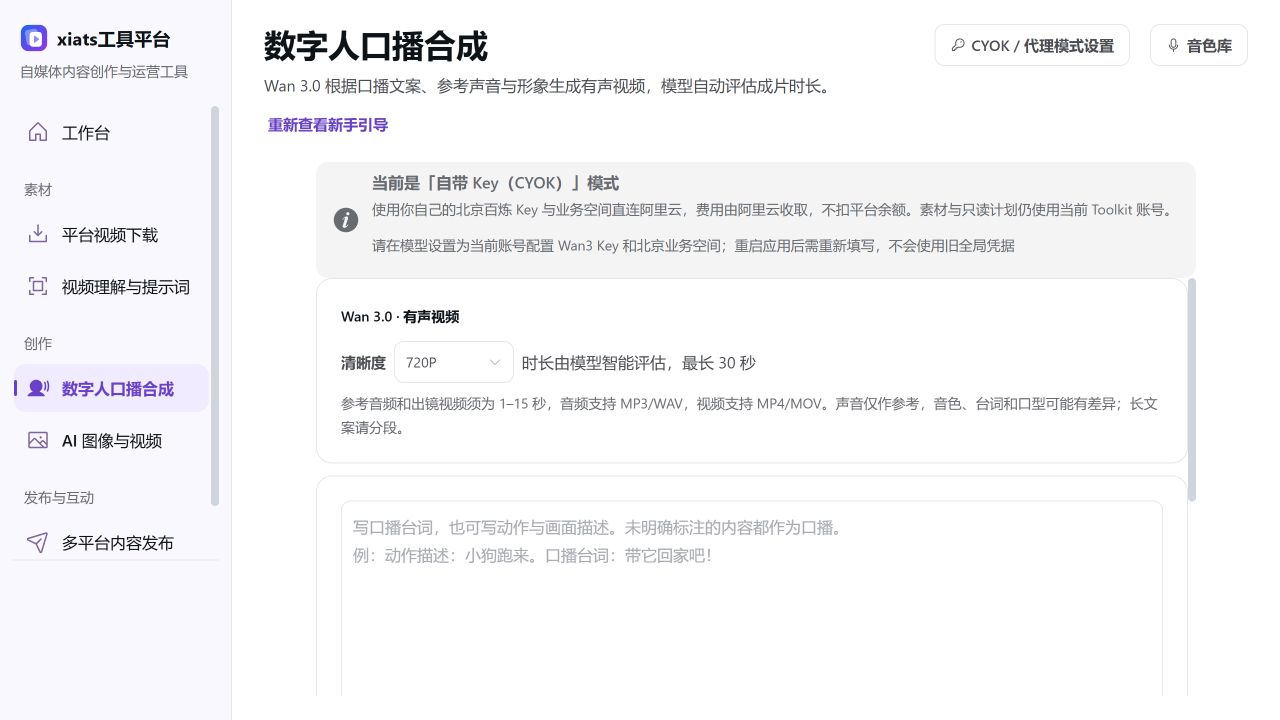
- Choose a modeIn Settings → Model settings, choose one of the two modes below.
Use Skills without installing the desktop client
Use the Open Platform to view the API documentation. Active members can create an API key, choose Use skill and send the installation prompt to an AI assistant that supports Skills. The generic package is available for direct download; configure your own keys afterwards. Do not publish credentials from installation prompts.
CYOK vs platform mode
Platform mode (official key): No personal model account is needed. Official keys are used and listed fees are charged directly to your wallet after you review the price and confirm. Failed tasks are automatically refunded. Choose this for an out-of-the-box experience.
CYOK mode (your key): In settings, enter your own Alibaba Cloud Model Studio key for AI generation and avatars, or Alibaba Cloud AccessKey for video upscaling. Requests go directly from your computer to the cloud; your cloud account is billed, without the Platform handling payment. Keys are encrypted locally using a non-exportable key, used only for requests, and never uploaded to our server. Choose this if you have a key and want cost control.
Frequently asked questions
Do desktop and web share an account?
Yes. Use the same account for shared membership, balance, and billing, with simultaneous access on multiple devices.
Is there a Mac version?
Yes. The Mac installer supports Apple M-series chips. See the download links section on this page.
Mac says the developer cannot be verified?
Right-click (or Control-click) the app → Open → Open again. Double-clicking will not show the override. If still blocked, use System Settings → Privacy & Security → Open Anyway. See First launch on Mac。
Do I need to repurchase when changing computers or systems?
No. Membership and balance belong to your account. Sign in with the same account on Windows and Mac, including on multiple devices.
Are CYOK keys uploaded? Are they secure?
No. Keys are encrypted locally using a non-exportable AES-GCM master key and decrypted only for requests. They are never uploaded to our server. Official platform keys stay on the server and are unavailable to clients.
What else is required for CYOK video upscaling?
Activate the pay-as-you-go Video Enhancement service in your Alibaba Cloud account. See Video upscaling guide。