xiats
xiatsHome › Help center › AI creation
AI creation: Turn a sentence into a video
Sign in and open Workspace → AI creation to generate a vertical short video from a visual description. The price is shown before charging your wallet, with automatic refunds on failure. Other tools include image-to-video, text-to-image, image editing, video extension, titles and topics, and video upscaling. Video analysis and Talking avatars have separate entries; the Voice library is under Talking avatars. Desktop also supports CYOK and long batch tasks.
After signing in, hover over AI creation in the left navigation to open a tool directly. On mobile, expand its submenu. Empty result panels explain the steps; content marked as a demonstration illustrates the workflow.
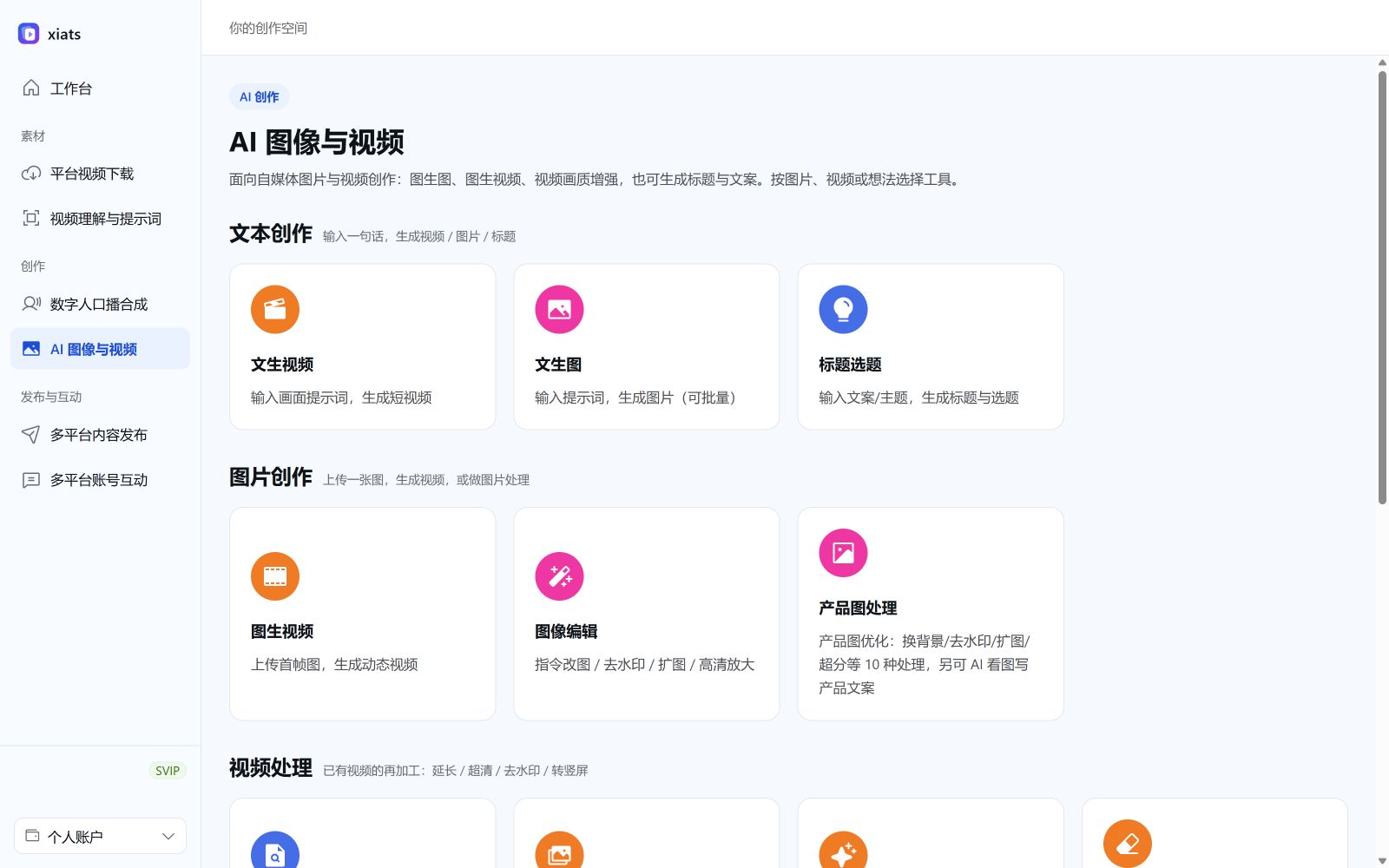
Steps: Text-to-video example
- Open Text to videoSign inWeb app, then open Workspace → AI creation → Text to video.
- Write a visual promptDescribe the subject, setting, and camera motion, or use Try example for a sample prompt. Exclude blur, watermarks, and other unwanted elements in the negative prompt field. The web app accepts one prompt per submission.
- Choose a model and sizeChoose a model and frame size, such as vertical 9:16. Available options depend on the model.
- Generate and saveClick Start generating, review the quote, and confirm. Preview and download results on the right or check Recent generations. Save temporary video links promptly.
Available AI creation tools
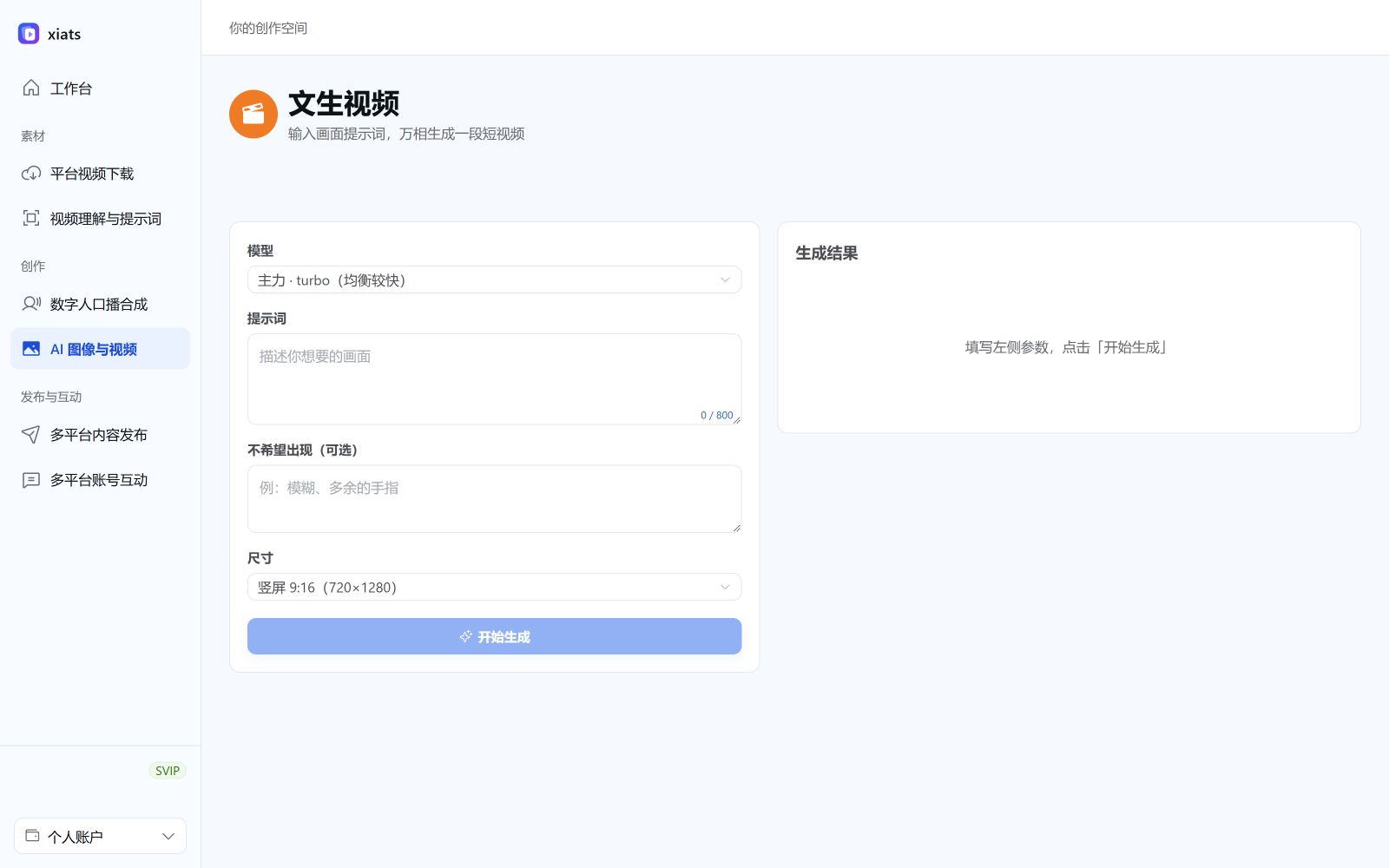
- Product photo processing: Ten operations, including watermark removal, white backgrounds, outpainting, and upscaling, plus AI product descriptions (see Product photo guide)。
- Text to video: Generate a vertical short video from a visual description.
- Image to video: Upload an image and describe how to animate it into a video.
- Text to image: Generate images from prompts with selectable count and aspect ratio.
- Image editing: Edit selected areas or describe edits to an original image.
- Video extension: Extend an existing short video using a prompt.
- Video analysis: Extract dialogue, prompts, and shot references as needed.
- Titles & topics: Generate attention-grabbing titles and topic suggestions from a theme.
- Voice library: Record or upload your voice to clone it for voiceover and avatars.
- Talking avatars: Generate video with audio from a script and optional reference voice and avatar. Reference fidelity may vary (see Talking avatar guide)。
- Video upscaling: Upscale low-resolution videos to 1440p using AI (see Video upscaling guide)。
Frequently asked questions
How long does generation take, and how long is the video?
Wait times depend on the model, input, and queue. Output duration depends on the selected model. Check progress on the right and download temporary outputs promptly.
Will failed generation be charged?
With platform billing, reserved funds return to your wallet automatically on failure. View transactions in Account → Balance & billing.
Is this on the web or desktop?
On the web, open Workspace → AI creation and pay from your wallet by usage. Windows and Mac additionally support CYOK and long batch tasks. Both share your account and membership benefits.
Can I use a custom model?
Platform billing supports only listed models with available prices. For custom models, use CYOK in the desktop app with your own key.