xiats
xiatsHome › Help center › Transcription
Transcription: Upload videos and extract speech
Choose Upload videos in the web workspace. Select files and a recognition method on the left; review, edit, and copy results on the right. Uploads and links both require active membership.
This guide covers Transcription in Upload videos mode. You can switch to Paste links on the same page.
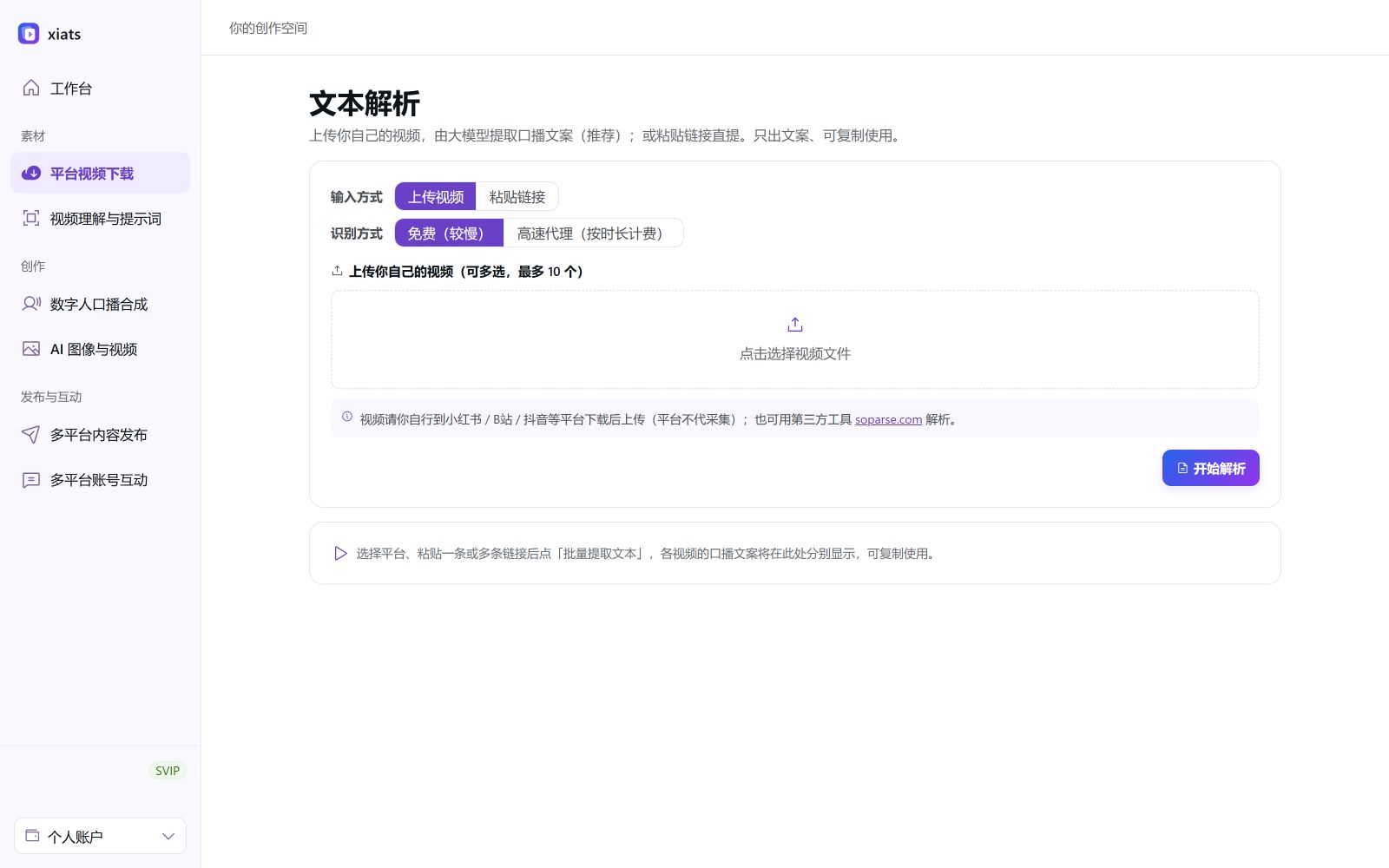
Steps
- Prepare local videosPrepare videos you have permission to use, sign in, and open Transcription. Follow platform content rules when saving assets from other services.
- Select Upload videosSet Input method to Upload videos and use the file picker to select up to 10 videos. Review the file list and remove unintended selections.
- Choose recognition and transcribeChoose Free (slower) or Fast platform recognition (billed by duration), then click Start transcription. Fast recognition shows a price confirmation before submission.
- Edit and copy textReview and edit results on the right, then copy each transcript or use Copy all to save them in your document.
Choosing a recognition method
- Free (slower): Server-side Whisper transcription with no recognition fee for this tier. Processing time depends on duration and server load.
- Fast platform recognition (billed by duration): Uses the platform recognition service. Confirm the cost before submission; the dialog and bill show applicable charges.
You can also transcribe links
Active members can switch to Paste links on the same page. Use share links from supported platforms, which are detected automatically. See the Video-to-text guide。
Frequently asked questions
Can members use transcription?
Transcription from uploads and supported share links is available to active members. Accounts without membership or with expired membership cannot submit. The server validates current benefits.
How long are uploaded videos stored?
Free recognition uses temporary server files, deleted after transcription. Fast recognition uses temporary upload links removed under server retention settings. This tool extracts text and does not provide long-term video storage.
How do the free and fast tiers differ?
Free (slower) uses server-side Whisper. Fast platform recognition is billed by duration and requires price confirmation before submission. Refer to the confirmation dialog and bill for charges.
Which video formats are supported?
Common formats include MP4, MOV, M4V, MKV, and AVI, with up to ten files per selection. If a file is too large, compress it or trim the relevant segment as prompted.